

 July Simio Scoop
Welcome to the July edition of the Scoop—your monthly update from the Simio team. This issue is packed with opportunities to share your success, sharpen your skills, and discover new tools and features to enhance your experience with Simio. Submit your case study to showcase your Simio expertise at this year’s premier simulation conference, get familiar with My Account—our new central hub for support and resources—and don’t miss the next webinar in the Simio Solution Series. Plus, we’re sharing a tip that might just change the way you model. |
|---|
 DOUBLE YOUR IMPACT: Showcase Your Simio Success at WSC 2025 AND Simio Sync 2026!
Don’t miss this exciting opportunity to gain twice the exposure for your Simio implementation! The Winter Simulation Conference 2025 Commercial Case Study track is accepting submissions until August 1, 2025, and this year offers an exceptional benefit—your project can be featured at both WSC 2025 AND the upcoming Simio Sync 2026.
This dual-platform showcase puts your success story in front of the world’s leading simulation experts and Simio’s global user community. The submission process is refreshingly simple: just prepare a two-page extended abstract highlighting how you used Simio to deliver real business results for your organization.
Presenters selected by the Winter Simulation Conference (WSC) committee will deliver a 25-minute presentation at WSC 2025. If selected, your work will be published in the conference proceedings and prominently showcased at Simio Sync 2026.
Ready to shine a spotlight on your simulation success? Visit the WSC 2025 Commercial Case Studies page for complete details. Questions? Contact us at marketing@simio.com.
|
|---|

|
YOUR SIMIO COMMAND CENTER IS HERE: Introducing My Account
Simio is excited to unveil My Account—your new centralized hub that brings together all essential Simio resources in one intuitive platform. This powerful resource center streamlines how you access technical documentation, manage support cases, and download software, helping you maximize productivity and get the most from your Simio investment.
The dynamic Knowledge Base serves as your comprehensive repository of technical guides and best practices, while the integrated Case Management system provides clear visibility into support status. Finding the right software version is now effortless with direct access to Simio installers, and our enhanced support process ensures faster problem resolution through more effective communication.
My Account is available to all users with active subscriptions or maintenance. |
|---|
|
Note: Access for Academic License holders is coming soon!  Register for Our Upcoming Simio Solution Series Webinars
Stay ahead in the world of simulation and optimization with our upcoming Simio Solution Series webinars. Learn best practices, ask questions, and gain insights from experienced engineers.
Work Smarter, Not Harder: A Data-Driven Approach to Modeling Labor Wednesday, July 16, 2025 | 11:00am ET Learn the best tips and strategies to model your labor force by leveraging your resource and work schedule and Simio’s data driven modeling approach. In this session, we will look at different options for adding worker schedules as well as adjusting your resource availability, dynamically adjust capacity throughout the model run, and add breaks and holidays to understand labor requirements and support your modeling efforts. Want to Watch a Previous Webinar?Did you miss a previous session? No problem! You can access replays of past webinars anytime and explore valuable insights on enhancing your Simio expertise. |
|---|
 Simio Expressions for Replication-Level Reporting
Simio has many different expressions and functions that provide users with significant functionality to achieve their modeling goals. One expression that may not be as widely known is the “Run” expression and its subsequent members. 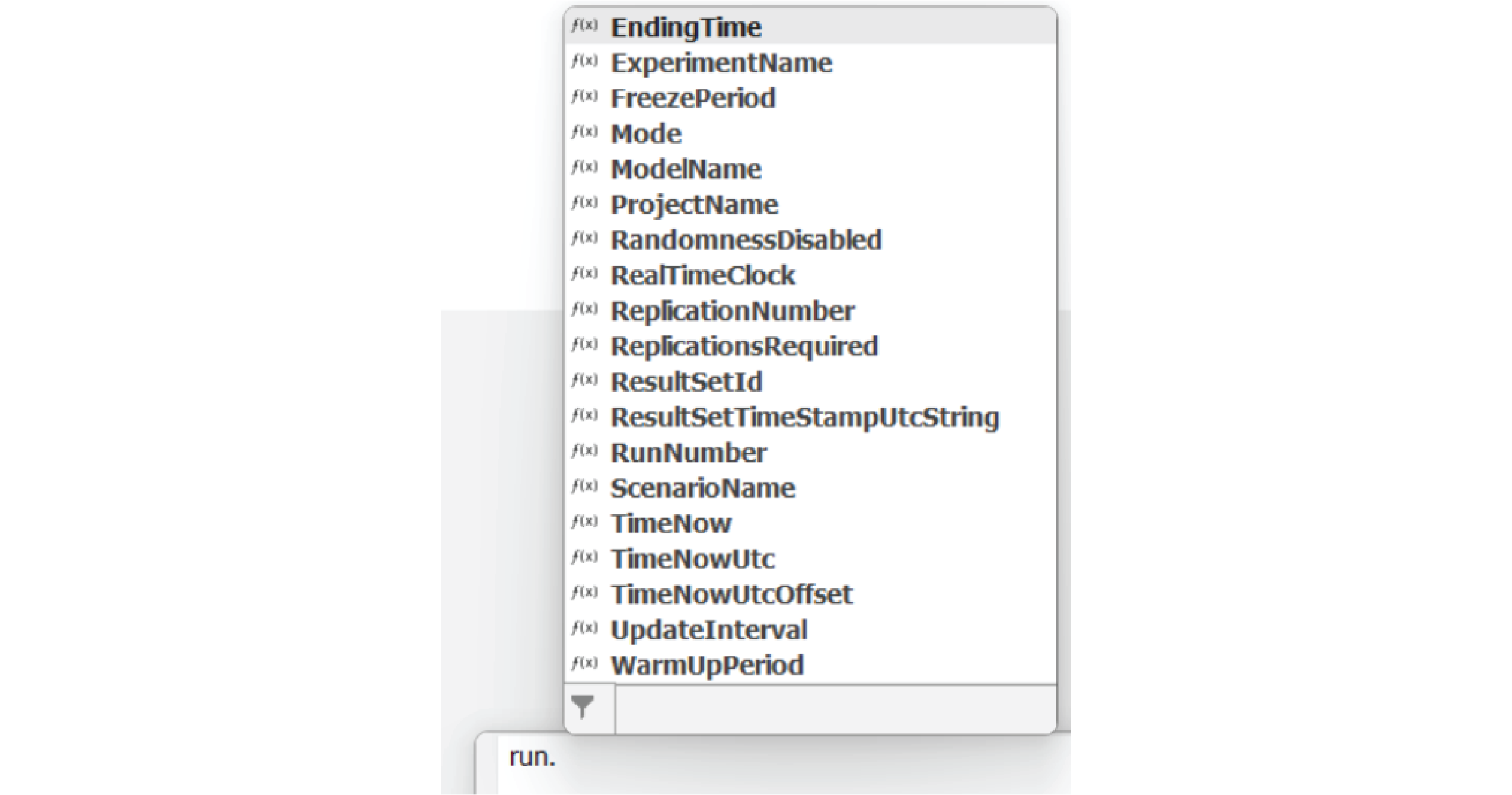 With this expression, users have access to numerous functions that provide information related to the run. Three particularly useful functions include “ExperimentName”, “ScenarioName”, and “ReplicationNumer” when it comes to experimentation. These Functions can be added to an Output Table / Log and written to in each Replication of an experiment to collect valuable replication-by-replication statistics that may not be as deeply contained with the default summary statistics captured by the Experiment outputs.
In the example below, as part of a manufacturing output table capturing the time that various finished goods are being processed at, the highlighted columns give a greater level of detail as to which replication/scenario/experiment that the result was produced in. This is especially useful when trying to debug or identify outlier behavior, as the modeler now has access to exactly where the behavior was occurring. 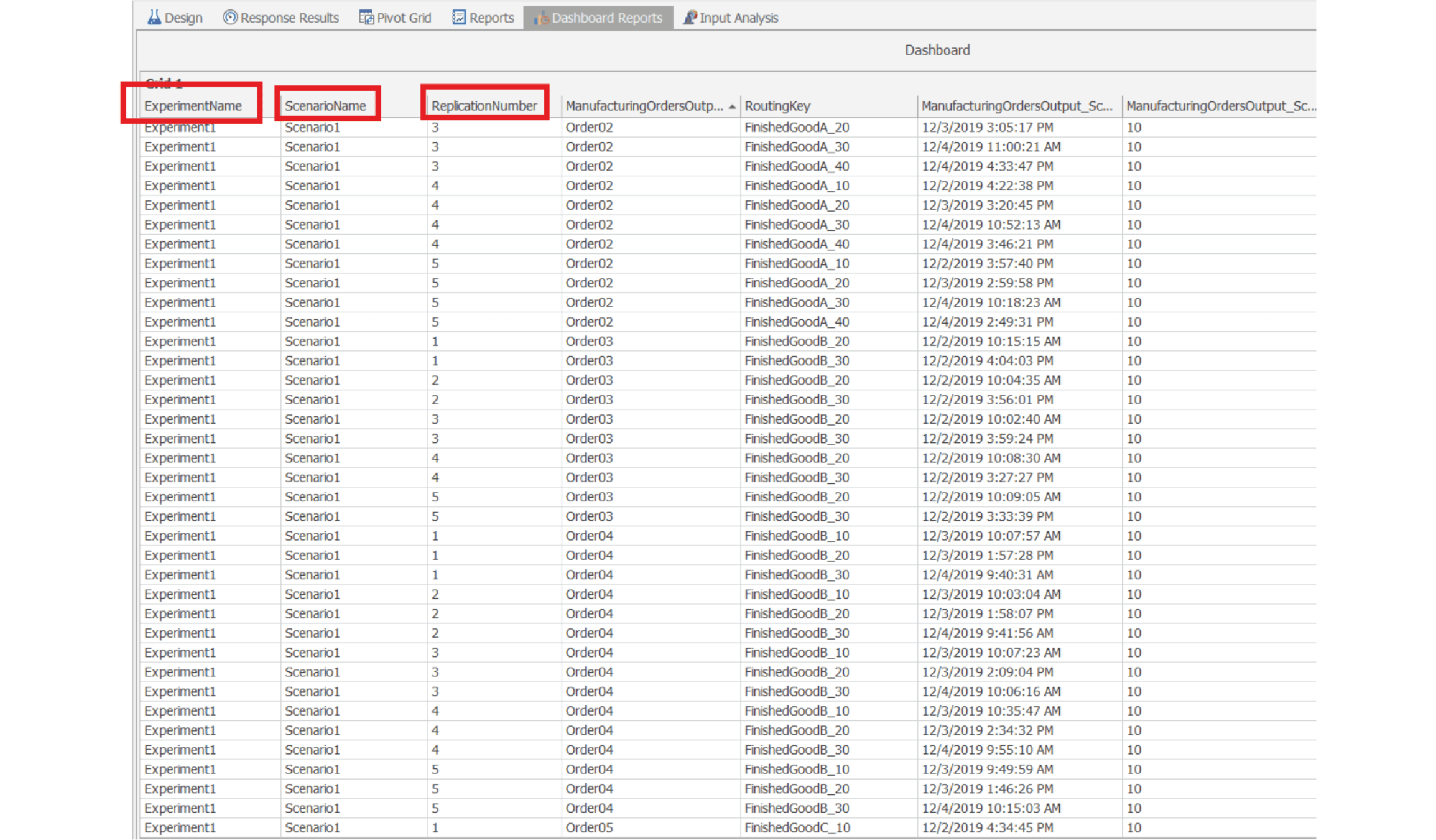 Consider incorporating the suite of Functions under the “Run” umbrella as part of your next experimentation endeavor! – Provided by Drew Rose, Solutions Engineer at Simio |
|---|
|
Edition 19: July 2025 |
|---|
|
Simio LLC, 504 Beaver Street, Sewickley, PA 15143 ©2025 Simio Contact Privacy Policy |
|---|