Welcome to the January edition of the Simio Scoop—your connection to the simulation community that continues to drive operational excellence worldwide. As we kick off 2026, we’re celebrating something truly special: nine incredible years of Simio Sync bringing together the brightest minds in simulation technology. This month isn’t just about looking back at our amazing journey—it’s about gearing up for what promises to be our most exciting conference yet.
🚨 The News You’ve Been Waiting For:
Simio Sync 2026 Registration is LIVE
Mark your calendars: April 21-22, 2026
The wait is officially over. Registration for Simio Sync 2026 is now open, and we’re already buzzing with excitement about what’s coming. This year’s Simio Sync conference brings together simulation professionals and business leaders who are pushing the boundaries of what’s possible with Digital Twin technology.
You’ll discover how Simio’s simulation capabilities continue to revolutionize the way organizations tackle complex operational challenges, optimize processes, and unlock new possibilities. Our expert presentations blend cutting-edge research with real-world success stories that you can actually implement in your own operations.
We’re sticking with our four core themes that make every Simio Sync event special: Showcase Innovation (the coolest new stuff), Applied Knowledge (how it actually works in practice), Inspiring Ideas (the “wow, I never thought of that” moments), and Success Through Collaboration (because the best breakthroughs happen when we work together).

Let’s take a trip down memory lane. The Simio Sync story started in May 2017 at Pittsburgh’s Drury Hotel, and honestly, who could forget those presentations inside actual bank vaults? Talk about keeping your simulation insights secure! That unique setting perfectly captured what we were all about—sharing valuable, trusted knowledge in an unforgettable way.
Our Pittsburgh roots ran deep. In 2018, we moved to the Wyndham by Point State Park (those river views!), and 2019 found us at the iconic William Penn Hotel downtown. Each venue added its own flavor to our growing community of simulation enthusiasts who were passionate about solving real-world problems.
Then 2020 happened, and like everyone else, we had to pivot. But here’s what made us proud: the Simio Sync community didn’t skip a beat. Our virtual conferences from 2021 through 2025 proved that innovation doesn’t need a physical location—it just needs passionate people willing to share ideas and learn from each other.
The Simio Sync community has grown from those intimate Pittsburgh bank vault gatherings to a global network of professionals who are changing how industries operate. Each Simio Sync event has brought together minds that continue to push simulation technology forward.
Speaking of growth, Simio University continues to be the go-to place for mastering simulation skills on your own schedule. Whether you’re just getting started or looking to dive deep into advanced techniques, this self-paced platform gives you complete control over your learning journey.
The beauty of Simio University is its flexibility. You get on-demand video content mixed with interactive elements, so you can learn the way that works best for you. Start with “Learning Simio: Getting Started” to build your foundation, then explore specialized modules that match your interests and career goals. Plus, the library keeps growing with new content that reflects the latest industry developments.
Ready to advance your simulation game? Contact your Account Manager or reach out to [email protected] for educational programs.
This Month’s Must-Read: Why Traditional Planning Falls Short
We’re highlighting some essential insights for anyone dealing with planning challenges in today’s fast-moving business world. Our latest analysis shows how modern approaches—including Digital Twin applications—can dramatically improve your success rates while reducing operational headaches.
Here’s the reality: traditional planning methods often struggle when things change quickly (and let’s be honest, when don’t they?). The organizations that are winning right now embrace agile frameworks, get their teams collaborating across departments, and make decisions based on real data rather than gut feelings.
The key strategies that actually work include building feedback loops that catch problems early, giving teams the authority to make decisions quickly, and using scenario planning that accounts for the unexpected. When you add advanced simulation tools to the mix, you can test your strategies virtually before implementing them—which means fewer costly mistakes and better resource allocation.
Breakpoints are a powerful but often underutilized feature in Simio that can significantly improve how users debug, validate, and understand model logic.
Breakpoints allow users to pause model execution at specific points, giving full visibility into entity behavior, token state, object properties, and resource usage at the exact moment an event occurs.
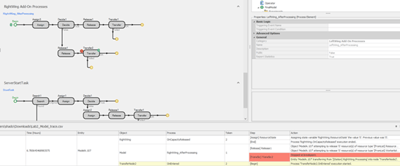
Breakpoints can be applied directly to process logic steps, causing the model to pause execution when a token reaches that step. When execution is paused, users can inspect the model state immediately before the step is executed. In this example, a breakpoint has been placed on a Transfer step. When the model is run or fast forwarded, execution will automatically advance until the token reaches the Transfer step, at which point the simulation pauses. This allows users to validate that all logic leading up to the transfer, such as releases, assignments, and decision outcomes, has occurred as expected before the entity moves to its next location.
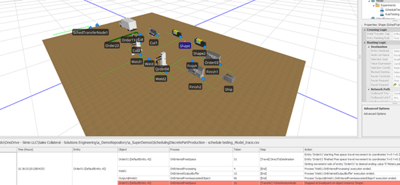
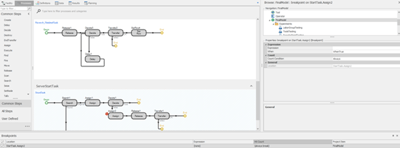
Breakpoints can also be applied directly in the Facility view, allowing users to pause execution when an entity reaches a specific node or server. By placing a breakpoint on a facility object, the model can be run or fast forwarded until an entity arrives at that location, at which point execution will automatically pause.
This approach is especially useful when validating routing behavior, arrival logic, or resource interactions at key locations in the system. Rather than stepping through the entire model timeline, users can quickly advance to the moment an entity enters a Server or TransferNode and inspect the system state to confirm that upstream logic and conditions have behaved as expected.
Targeted breakpoints can be further refined by defining an expression that controls when the breakpoint should be considered. This allows users to pause execution only when specific conditions are met, rather than every time a step is reached.
For example, if an issue is observed late in a simulation run, a breakpoint expression can be used to activate the breakpoint only after a certain simulation time has elapsed. By specifying an expression such as Run.TimeNow > 55, the breakpoint will only trigger after the 55th hour of the simulation, allowing the model to fast forward through earlier behavior and pause execution near the time of interest.
Breakpoints can also be configured using a hit count, allowing execution to pause only after a step or event has been encountered a specified number of times. This provides another way to target specific occurrences without stopping the model on every pass through the breakpoint location.
Our expert team is standing by to discuss how simulation technology can address your specific operational challenges and help you achieve your optimization goals. Whether you’re exploring Digital Twin applications for the first time or looking to expand your current simulation capabilities, we’re here to guide you toward solutions that deliver real results.